·
Pixel

https://www.ashleymills.com/ae/images/lenna_pixels.png
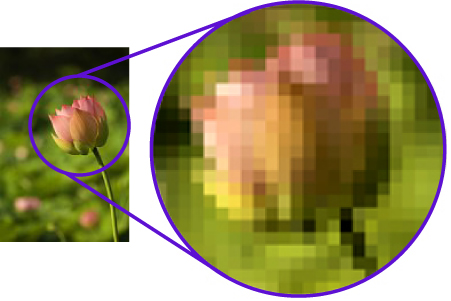
In any image being viewed from a screen, pixels which are the main structure or building block for the image are used. the quality of the image varies largely due to the 'Bit' it is being viewed in, for example. 1 Bit allows pixels in an image to show as two colours, black or white. 4 Bit allows the pixels in an image to show over one million different colours which allows for extremely detailed images.
· Colour Models – RGB and CMYK

http://kristycolourmanagementandworkflow.wordpress.com/2014/03/05/investigating-the-history-of-colour_-part-6-subtractiveadditive-colour-models/
There are two different colour models which are used for digital images. the Additive colour model which features, Red; Green and Blue. This colour model is used for on-screen photographs and videos involves adding colours to get white. the other colour model is the subtractive model which features the colours, Yellow; Cyan and Magenta. This colour model is only used for printing as is is not able to make the same number of colours as the Additive model, this makes it different to the Additive model.
· Resolution

http://m4a4d.blogspot.co.uk/2012/01/increase-your-screen-resolution-to-more.html
Resolution measures the number of pixels vertically and horizontally in a digital image. it also effects the quality of the image depending on what it is being used for along with the size of the screen for example that the image is being viewed on, this effects the quality of the image depending on the distance the image is viewed by the viewer, for example. A high resolution image on a large screen is only high quality from a distance. if an individual presses their face against the screen the image will become pixelated and distorted. This is because the resolution of the image
· Raster Images: file formats and uses - psd, bmp, gif, tiff, jpg, png

http://vector-conversions.com/images/raster_vs_vector_1.jpg
Raster images are composed of pixels which means that they are not able to increase i n size without lowering it's resolution. Raster images are mostly photos and is likely never used for logos as they are resolution reliant and unable to easily enlarge without extremely high amounts of detail. Raster images feature PSD files which are only used in photoshop.
· Vector Images: file formats and uses - eps, wmf, fla, svg, ai
http://megalife.com.ua/uploads/posts/2010-04/thumbs/1271511403_stepashka.com.wallpapers-702-28.jpg
Vector images are line based images which are used by companies for logos as they can be increased to show as a perfect image on a billboard. They are able to do this as they don't use pixels. This is because they are all created from mathematical equations to work out the lines.
This means that they have small file sizes and generally use less effort for the computer.
· Compression - lossy and lossless

http://images.wondershare.com/images/multimedia/video-converter-ultimate/lossy-compression.jpg
Compression (Lossy-Lossless)
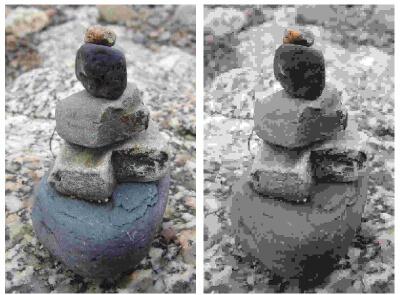
One of the types of compression is lossy compression. Lossy compression is the compression of an image file in which the file size is lowered but the pixels in the image borrow information from the neighboring pixels, and as an end result the quality of the image is lowered due to the image looking more "blocky".
The other type of compression is lossless compression. Lossless compression is similar to lossless compression but the file size is not reduced as much which results in a higher quality image as an outcome. The usage of lossy and lossless compression purely depends on what the image file is going to be used for, for example. If an image is to be used for posters then lossless compression would be more prefferable where-as if the image is just for a demonstration of what a statue looks like the lossless compression may be a more suitable choice.
· Image Capture Devices – scanner, digital camera, tablet/smartphone

http://www.discountid.com/media/catalog/category/Cameras_DataCapture_Top-Nav.jpg
Every image capture device such as a scanner or a camera uses a lens which focuses and processes light which allows it to create an image. the vast majority of image capture devices compress images automatically and the file is saved as a jpeg file.
· Optimising
Optimising is preparing an image file or any other file for what bit is going to be used for. for example, if an image is to be posted on the internet it must be the smallest file size possible for it to load faster, but with the highest quality possible. if an image is to be printed then cropping and other methods of tidying an image will be used to "optimise" the image for it's purpose.
· Storage and Asset Management
Storage and Asset Management is the maintenance of storage devices that an individual is using. This covers devices such as USB drives and other portable storage devices. This also covers the security of these devices as low level security can allow the documents to be stolen and contracts between clients can be breached.



No comments:
Post a Comment